
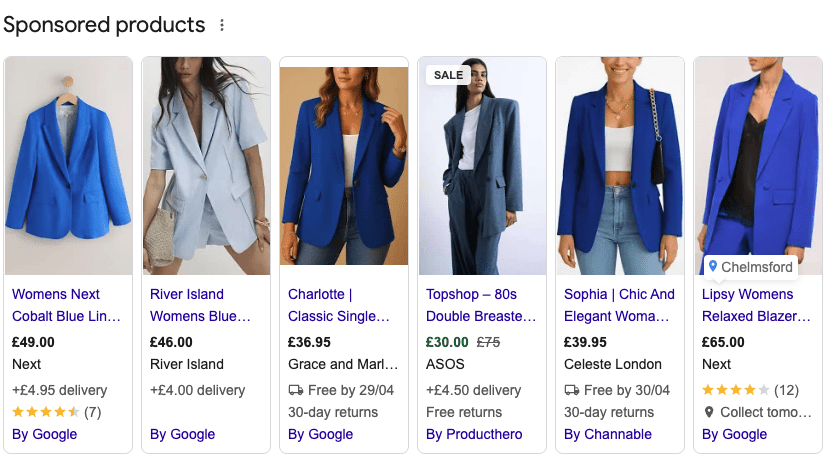
Clients often come to us wanting to increase their product visibility with shopping ads. One way we do this is through expanding the product information Google is surfacing, matching user intent to clients products.
More often than not, brands understand the reasons WHY duplication might be important, increasing visibility across the shopping stack and test and learn, just to name a few reasons but the biggest question is HOW.
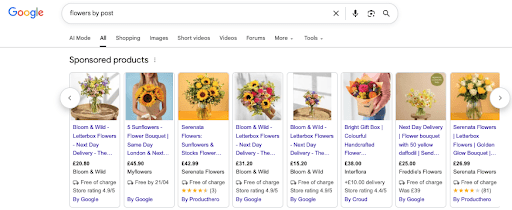
Backgorund colours might be something you want to test with product duplications on the SERP
We have prepared the below guide, walking you through some of the best ways we have found to tackle product duplication.
The key elements to remember are that every product, including any duplicate variation, must have their own Unique ID and URL.
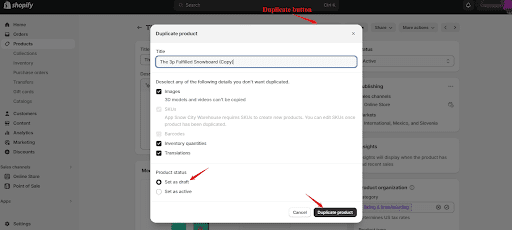
Method 1: Shopify Product Duplication
Who is this for: Small/Medium size business using Shopify but who might not have the budget to being in a feed tool or are low to test on a small scale.
Follow these steps:
- Go to Products in Shopify
- Select the product you want to test
- Click Duplicate
- Edit key fields:
- Title
- Price
- Images
- Publish and allow it to sync to Merchant Centre
Method 2: Feed-Level Duplication
Who is this for: Businesses who have a small number of skus, this is a manual process.
Follow these steps:
- Within your feed sheet (Google Sheet is our preferred method), copy and paste a product to a new row
- Amend the Product ID to a unique code. We typically might add ‘– A’, ‘-B’ or ‘-C’.
- Amend the URL to have a unique UTM attached.
- Carry out any change required e.g. Title, description, Image.
- Refresh feed into the Merchant centre.
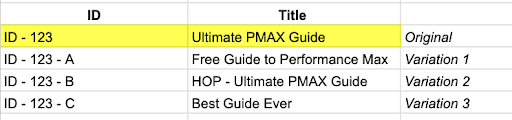
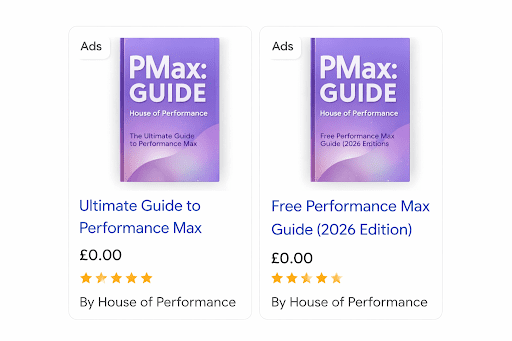
If we had a hypothetical book called the PMAX guide we were trying to see – this is how feed-level duplication would work.
Duplication means the same products can appear multiple times for a shopping result, which otherwise isn’t possible for one sku and one retailer.
Method 3: Use a Feed Management System
Who is this for: Large business who need changes at scale
Follow these steps:
- Connect Shopify to your feed tool
- Create a rule such as:
- “Duplicate all products where X condition is met”
- Modify duplicated version:
- Append keywords to title
- Adjust pricing or labels
- Ensure tool generates new IDs and appends the URLs with different UTMs
- Sync to Merchant Centre
Brands of all budgets are able to use duplicate as a tactic, meaning you can learn big no matter how much you have to spend.
Feed management tools such as Data Feed Watch and Feedoptimise should been your first point of call when looking into this tactic.
Don’t hesitate to reach out if you’ve got any further questions on product duplication. OR if you’ve got any success stories to tell us!